
BLOGS
Using Microsoft Dynamics CRM Workflow To Update a Field BEFORE The Value Is Changed
Posted by Jessica Smith in CRM Admin 101, Dynamics CRM, Microsoft Dynamics CRM 2016 | 0 comments
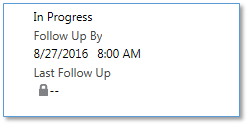
I wanted to update the below “Last Follow Up” custom date field with the previous “Follow Up By” value BEFORE the Follow Up By date was changed, in order to minimize the amount of clicks for Users. Here’s a quick blog on how to update a field with data from another field BEFORE the value is changed.
Defining the Proper Scope When Configuring Workflows in Dynamics CRM
Posted by Jessica Smith in CRM Admin 101, Dynamics CRM, Microsoft Dynamics CRM 2016 | 0 comments
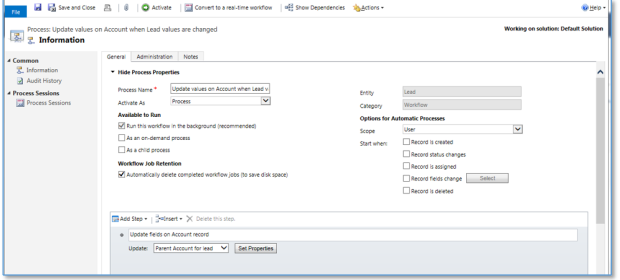
One of the options that can be a little puzzling when building workflows in Microsoft Dynamics CRM is the “Scope” setting. Knowing when to select which option can be a bit confusing.
Microsoft Dynamics CRM – Customer Service – Making Case Customer Field NOT Required
Posted by Jessica Smith in CRM Admin 101, Dynamics CRM, Microsoft Dynamics CRM 2016, Microsoft Dynamics CRM for Customer Service | 0 comments
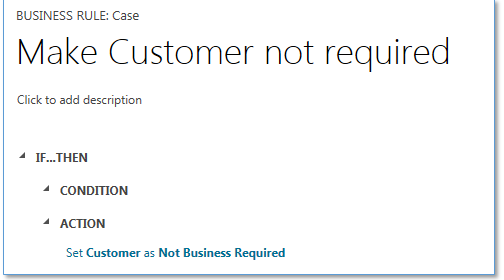
I ran into an issue recently trying to make the Case Customer field not required in Microsoft Dynamics CRM 2016. I needed to make this field not required so I could populate the value once the Case was saved, by using a workflow based on another lookup field on the Case.
Managing Product Bundle Pricing in Microsoft Dynamics CRM
Posted by Jessica Smith in CRM Admin 101, Dynamics CRM, Microsoft Dynamics CRM 2016, Microsoft Dynamics CRM for Sales | 0 comments
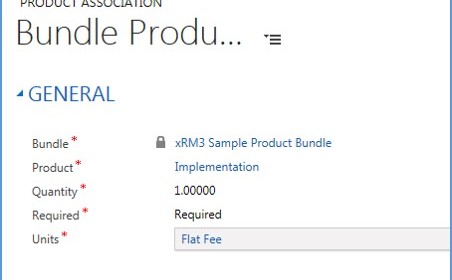
I had a hard time finding comprehensive instructions on how to properly manage pricing when it comes to Product Bundles in Microsoft Dynamics CRM. I wanted to associate products to one bundle so multiple products could be added to an Opportunity (Quote or Order), minimizing the steps it takes to add multiple products to an Opportunity. BUT, I also wanted each of the line items to reflect their own individual price once added to the Opportunity, AND I also needed those prices to be editable.
Microsoft Dynamics CRM – Chart Pane Not Rendering in Associated Views
Posted by Jessica Smith in CRM Admin 101, Dynamics CRM, Microsoft Dynamics CRM 2016 | 0 comments
I recently came across an issue with a client. I noticed that the Chart Pane in Microsoft Dynamics CRM would not render while in the associated view inside the Account form. While testing I noticed that our CRM had the same issue and it was not isolated to the Account form.
Microsoft Dynamics CRM – Using Activities vs. Notes – Best Practice
Posted by Jessica Smith in Dynamics CRM, Microsoft Dynamics CRM for Sales, Sales Process Management | 0 comments
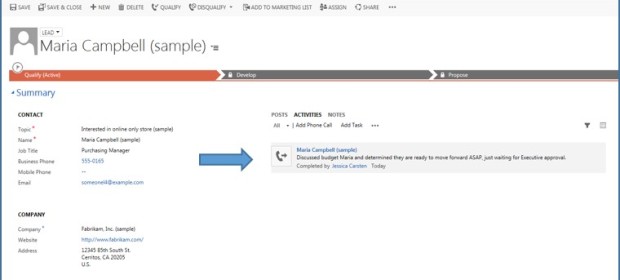
In the last few months, I have conducted several Sales related training sessions where the number one topic is Activities vs. Notes in Dynamics CRM. Many of my recent implementation projects have been for clients who have no CRM system today and have been using tools like Excel to track their touch points with their prospects and customers.
When to Use a Lead Record vs. Opportunity Record in Dynamics CRM
Posted by Jessica Smith in Dynamics CRM, Microsoft Dynamics CRM for Sales, Sales Process Management | 0 comments
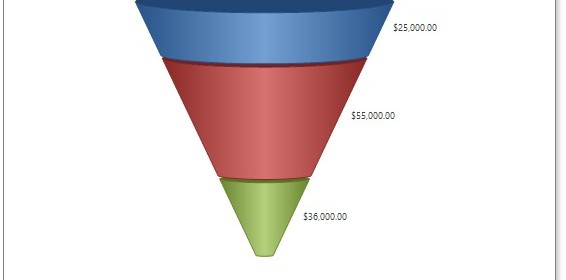
I was doing a project review with a client the other day and was asked this question – “What is the difference between the Lead and Opportunity record types?”. This isn’t the first time I’ve heard that question from clients so I wanted to take a minute to do my best to explain these two very important sales records in Microsoft Dynamics CRM and describe some of the business reasons you would use a Lead and/or an Opportunity record.
How to Create Routing Sets and Routing Rules in Microsoft Dynamics CRM
Posted by Jessica Smith in Dynamics CRM, Microsoft Dynamics CRM partner | 0 comments
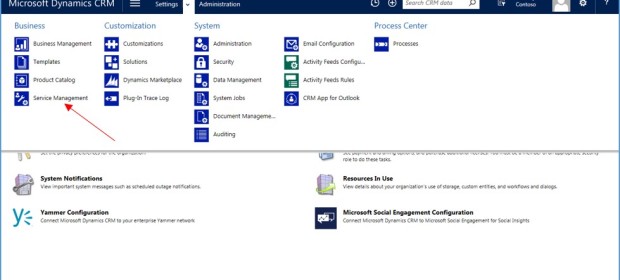
Routing rules are an valuable addition to the recent updates of Microsoft Dynamics CRM. Routing rules are available in both 2015 and 2016 versions of Microsoft Dynamics CRM. Here are xRM³, we’ve been using Microsoft Dynamics CRM routing rules for a while. We also have several clients who are now enjoying the ease of use offered with this functionality. Here are instructions on how to create Routing Sets and Routing Rules in Microsoft Dynamics CRM.